
Basic digital hygiene dictates that you use a strong password and different ones for each platform. However, with the numerous apps and websites we use each day, it is very challenging to remember those unique passwords.
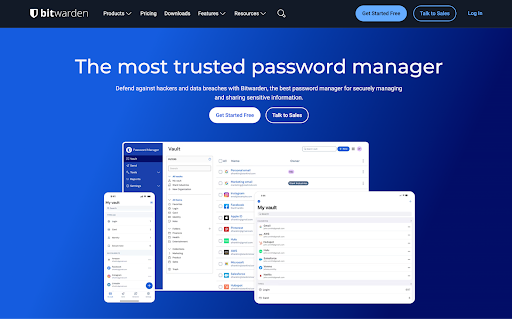
Bitwarden generates, saves, and protects those unique passwords for you so you don’t have to. And it does a better job than the default settings that come with your browser and phone.
Quick Overview
| Category | Details |
| Encryption | AES-256 with PBKDF2-SHA-256 |
| Open Source | Yes, full codebase available on GitHub |
| 2FA Support | TOTP apps, Duo, FIDO2/WebAuthn,Hardware keys (YubiKey, SoloKey) |
| Cross-Platform | Windows, macOS, Linux, Android, iOS,browser extensions |
| RecoveryOptions | Recovery code & email hints;no master password reset (by design) |
| Offline Access | Yes, once synced |
| Free Plan | Available |
| Price | Starts at $10/year |
So, how easy is Bitwarden to use day to day? What does it cost, and is the free plan enough? Does it actually keep your data safe, and how does it stack up against bigger names in the market? Let’s find out.
Pros and Cons
Pros
- Free plan is one of the best in the industry
- Open-source
- Supports unlimited devices
- Affordable Premium plan
- Strong security with AES-256 encryption
- Broad platform support
- Flexible hosting options
Cons
- No master password reset
- The interface is functional but less polished compared to other managers
- It can feel a bit too DIY for non-technical users
Is Bitwarden Safe?
Yes. Bitwarden is very safe to use.
Your vault is encrypted with AES-256. This is the same standard used by banks. And your master password is salted with PBKDF2-SHA-256. This helps significantly slow down brute-force attacks. If someone forcefully gains access to your vault, all they’ll see is garbled data that can’t be deciphered.
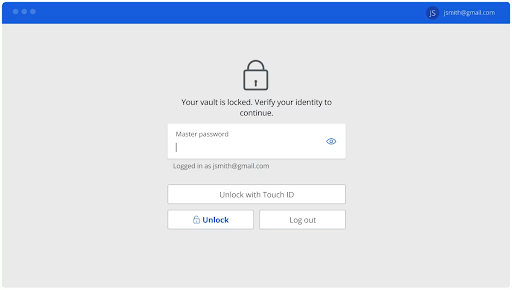
Bitwarden requires you to add two-factor authentication (2FA) for extra security. It can be a code via your email, an authenticator app (TOTP), Duo push notifications, or physical keys like YubiKey. Even if your master password leaks, your vault remains locked unless the attacker also gains access to your email or devices.
On top of all that, there’s no master password reset. If you forget it, your vault is gone. While it might seem like a bad idea, it’s actually safer because it means Bitwarden has no backdoor to your data. You do get recovery codes and hints, but ultimate control is in your hands.
Bitwarden also lets you choose where your vault is stored. By default, it uses Bitwarden’s own servers in the US, but you can choose the EU region for stricter data protection laws, or self-host on your own server for total control.
To wrap it all up, the company’s code is open-source and has been audited by multiple third-party auditors. And there’s no history of vault breaches.
Which Devices and Platforms Does Bitwarden Work On?
Bitwarden works wherever you need it to. They have desktop apps for Windows, macOS, and Linux. On mobile, full-featured apps for iOS and Android. For browsing, Bitwarden offers extensions for Chrome, Firefox, Edge, Safari, Brave, Vivaldi, and nearly every other browser.
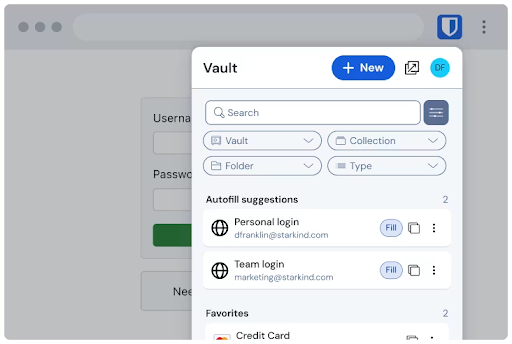
Everything syncs instantly when you log in, so adding a password on your phone means it’s already waiting for you on your laptop. Unlike some managers that make you wait or manually refresh, Bitwarden’s sync is instant and automatic.
And even if you’re offline, you’re not locked out. Once your vault has synced to a device, you can access your logins locally without an internet connection. So you’re covered whether you’re on a plane, traveling somewhere with spotty Wi-Fi, or just working without wanting to connect.
What Else Does Bitwarden Offer Besides Password Management?
Bitwarden covers the basics well, but so do most other password managers. Its value comes through in the extras. These features focus on making security easier for individuals, families, and businesses.
Secure Storage
You can store more than passwords. Keep secure notes, payment cards, and IDs in the same encrypted vault.
Passkeys
Bitwarden supports passkeys on the free tier. It’s a passwordless login standard that is endorsed by giants like Apple, Google, and Microsoft. It lets you create, store, and use passkeys across devices. This makes logins faster and more secure. Instead of typing a password, you can simply confirm with biometrics, such as Face ID or a fingerprint.
Encrypted Sharing
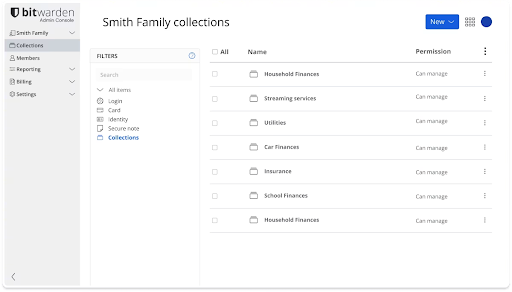
Bitwarden allows you to share text or files via an end-to-end encrypted link. For shared logins, you can also create an organization vault, so family or teammates can access items without exposing your master password.
Integrated Authenticator (Premium)
One-time login codes can be generated inside Bitwarden. Just scan a site’s QR code and Bitwarden will generate time-based codes (TOTP) that sync to your devices so you don’t need a separate app.
File Attachments (Premium)
You can attach sensitive files to vault items with Bitwarden’s encrypted storage. Premium includes 1 GB storage. The file size limit increases to 500 MB on desktop and 100 MB on mobile.
Emergency Access (Premium)
Trusted contacts can request access to your vault. You can approve instantly or let a wait time elapse before access is granted, which protects you while still offering a safety net.
Vault Health Reports (Premium)
Bitwarden offers “security reports” with their premium plans. They flag weak, reused, or exposed passwords and highlight sites where you haven’t enabled 2FA. The Data Breach report is free.
Username and Email Alias Generator
Generate strong passwords and unique usernames. Bitwarden can also hook into email alias providers, so you use disposable addresses for sign-ups.
Enterprise Features
Admins get SSO options, directory sync and SCIM provisioning, groups and collections, enforceable policies, detailed event logs, and centralised reporting. These tools make onboarding easier, lock down access, and give clear audit trails for compliance.
Using Bitwarden Day to Day
Security matters, but so does the experience of using a tool every single time you log in. Bitwarden focuses on quick setup, a straightforward UI, and reliable performance across devices.
Setup & Ease of Use
Getting started with Bitwarden is easy.
- Download the app or extension
- Create your account
- And set a strong master password.
Importing existing logins is a breeze with direct import tools for Chrome, Firefox, 1Password, LastPass, and more.
For new users, the onboarding flow is clear enough, though some of the more advanced settings (like organisations and collections) might be a bit technical.
The browser extension does most of the heavy lifting, filling in logins and saving new ones with minimal effort. Compared to the built-in managers in Chrome or Safari, it is a step up in both speed and reliability.
User Interface & Design
Bitwarden’s interface is clean and minimal, but not flashy. It focuses on function over design.
On desktop and mobile, everything is laid out in simple lists, with search at the forefront.
It’s not as polished as 1Password or Dashlane, which have slicker visuals and smoother animations, but it’s consistent across every platform. If you value clarity over eye candy, Bitwarden gets the job done without distractions.
For less technical users, the utilitarian look may feel barebones.
Performance & Reliability
In use, Bitwarden is fast and reliable.
- Logins save instantly and sync across devices in seconds.
- Autofill works most of the time as it quickly recognises login fields and offers the correct credentials.
- On mobile, the integration with iOS and Android keyboards makes filling passwords seamless.
- Offline access is also very reliable. Once your vault has synced, you can open it without an internet connection, and everything works as expected.
In testing, there were no slowdowns, crashes, or sync delays.
How Much Does Bitwarden Cost? – Bitwarden Pricing & Plans
Bitwarden’s pricing is refreshingly straightforward. They don’t try to upsell you. And you can be on the free plan forever, without even knowing that there’s a premium plan.
Personal Plans
Free Plan
Bitwarden’s free plan is one of the best out there. You get unlimited device syncing, passkey support, and all the core password management features for free. You can also share items with one other user, which is rare for a free tier. For most people, this is enough to cover daily password needs without paying a dime.
Premium Plan ($10/year)
Bitwarden Premium unlocks the advanced tools. You get the integrated authenticator for 2FA codes, encrypted file attachments (1 GB), emergency access, and in-depth security reports to check for weak or compromised passwords. It’s a small price to pay for the extra convenience.
Families Plan ($40/year)
The Families plan covers up to 6 users. Each account gets premium features, plus unlimited sharing, unlimited collections, and organisation-level storage. It’s a great option if you want to secure the whole household under one subscription.
Business Plans
Teams ($4 per user/month; billed annually)
The Teams plan is for small groups. It adds event log monitoring, directory integration, SCIM support, and secure sharing across the organisation.
Enterprise ($6 per user/month; billed annually)
Enterprise builds on Teams with extras like enterprise policies, passwordless SSO, centralised account recovery, self-hosting, and even complimentary Families plans for all users. It’s a complete package for organisations that need control, compliance, and scale.
Is Bitwarden Premium Worth It?
Yes, if you want more than the basics, Premium is totally worth it. It’s reasonably priced at only $10 a year, it’s cheaper than a single month of most competitors, and it gets you some really nice extras.
You get an integrated authenticator that replaces apps like Google Authenticator, so your 2FA codes live in the same vault as your logins. File attachments give you encrypted storage for sensitive documents. Emergency access lets trusted contacts into your vault if something happens to you. Security reports show you weak, reused, or breached passwords so that you can clean them up quickly.
For everyday users, the free plan goes a long way, but Premium makes Bitwarden feel more complete. If you like the idea of extra security tools without breaking the bank, it’s hard to argue against paying less than $1 a month.
Bitwarden vs 1Password vs LastPass
In the comparison between the three, Bitwarden is unbeatable on price and transparency, but 1Password justifies its higher fee with polish, while LastPass feels like a compromised middle ground.
| Feature | Bitwarden | 1Password | LastPass |
| Security | AES-256, open-source, SOC 2 audits | AES-256 + Secret Key, no breaches | AES-256, but history of breaches |
| Ease of Use | Straightforward, less polished | Very polished, family- and enterprise-friendly | Functional but less reliable |
| Cross-Platform | Full coverage across devices & browsers | Full coverage with native Linux app | Full coverage, but Linux via web only |
| Starts at | $10/year | $35.88/year | $36/year |
| Free Plan | Yes (very usable) | None (trial only) | Yes (device-type limited) |
| Trust Factor | Open audits = high transparency | Strong record, premium trust | Still rebuilding trust |
Wrapping Up
Bitwarden delivers where it matters most. It’s secure, trustworthy, and ideal for everyday use.
The free plan is good enough for most people, with unlimited devices, passkey support, and core features without asking for a credit card. Premium is only $10 a year and feels like a no-brainer upgrade if you want the extra features. Families and businesses have clear, affordable tiers that scale well without getting complicated.
Unlike many others, Bitwarden’s transparency through open-source code and independent audits lets you see the evidence without having to buy in just on the marketing alone.
Best For: Bitwarden is for tech-savvy users and organisations who want strong, transparent security at a fair price.