
uBlock Origin is one of the best ad blockers out there. It’s open source, community-oriented, and super powerful. Privacy enthusiasts, tinkerers, and even regular users use it. But when Google’s Manifest V3 update dropped a bomb on Chrome extensions, uBlock devs had to act fast. Their answer was uBlock Origin Lite, a stripped-down version of uBlock Origin that is designed to comply with Chrome’s new extension rules.
uBlock Origin Lite keeps most of what made the original so popular, but loses some of the deeper, technical features. It’s lighter, easier to use, and more user-friendly for casual users. But is it a proper replacement or a compromise?
They both block ads well, and both are free. The choice is mainly between maximum control and maximum simplicity. Let’s get into what you gain and lose by choosing one over the other.
But before we get into the review, if you want a solid ad blocker for Chrome since uBlock Origin doesn’t work anymore, try AdGuard. AdGuard uses a lot of the same filters as uBlock Origin. So the performance is often identical.
A Quick Overview
| uBlock Origin | uBlock Origin Lite | |
| Price | Free | Free |
| Free version | Yes | Yes |
| Blocks YouTube Ads? | Yes | Yes |
| Blocks Trackers? | Yes | Yes |
| Compatibility | Chromium, Firefox, and Edge | Chrome, Safari, Firefox & Edge |
Key Differences at a Glance (TL;DR)
- uBlock Origin offers full dynamic filtering, cosmetic blocking, and deep customisation.
- uBlock Origin Lite runs under Manifest V3 with simplified rules and no background scripts.
- The full version handles anti-adblock systems and soft paywalls far better.
- Lite is smoother on Chrome and easier for beginners.
- uBO remains the more powerful option on Firefox and browsers without MV3 restrictions.
Pros and Cons
Pros and Cons of uBlock Origin
Pros
- Completely free and open-source
- Extremely lightweight and efficient
- Blocks all types of ads, trackers, and scripts
- Highly customisable with support for dynamic filtering and custom rules
- Excellent anti-adblock and paywall handling
- Works well on all Chromium and Firefox-based browsers
Cons
- The interface can feel intimidating to beginners
- Not compatible with Chrome’s Manifest V3, which affects future support
- No mobile app or system-wide filtering
- No formal customer support
Pros and Cons of uBlock Origin Lite
Pros
- Also free and open-source
- Built specifically to comply with Chrome’s Manifest V3
- Even more lightweight than the full version
- Blocks most common ads and trackers effectively
- Great option for casual users who want simplicity
Cons
- No advanced features like dynamic filtering or custom filter rules
- Limited anti-adblock and paywall bypass capabilities
- Not as effective against complex or scripted ad formats
Real-World Ad Blocking
YouTube
Both versions performed exceptionally well in YouTube’s increasingly aggressive ad system.
uBlock Origin
Blocked pre-rolls, mid-rolls, masthead ads, in-feed ads, and Shorts ads. No visible video interruptions.
uBlock Origin Lite
Blocked everything as well, including Shorts ads, though occasional blank placeholders appeared before playback.
Both scored cleanly across every YouTube ad format tested.
News Sites (Forbes, The New York Times)
uBlock Origin
Removed banner ads, floating video players, newsletter pop-ups, cookie prompts, and soft paywalls.
uBlock Origin Lite
Matched the same results. With annoyance filters enabled, it blocked banners, pop-ups, and soft paywalls just as effectively.
uBlock Origin
All “Promoted” posts were removed from the feed.
uBlock Origin Lite
Removed all promoted posts as well. A few harmless empty containers remained, but nothing intrusive.
Twitch
uBlock Origin
Blocked homepage banners and self-promotion overlays. Like most blockers, stream ads can still appear depending on the player.
uBlock Origin Lite
Blocked banners and overlays, but full-screen stream ads showed up because Lite cannot use dynamic script injection.
X (Twitter)
Both versions cleaned the feed and removed all sponsored posts and suggested ads.
Shopping Sites (Crocs)
uBlock Origin
Blocked newsletter pop-ups and cookie prompts while leaving native discount banners intact.
uBlock Origin Lite
Blocked pop-ups but kept embedded discount banners, which did not interfere with browsing.
Key Features
Ad Blocking Capabilities
Both uBlock Origin and uBlock Origin Lite do ad blocking well, but the difference is clear soon enough.
uBlock Origin
uBlock Origin is comprehensive and powerful. It blocks all standard ads, including banners, pop-ups, autoplay video ads, sponsored content, and YouTube pre-roll ads. Its strength comes from extensive filter lists, cosmetic filtering, dynamic filtering, and advanced script blocking. If an ad slips through, you can block elements or create custom rules to fix it manually.
uBlock Origin Lite
uBlock Origin Lite, on the other hand, takes a more straightforward approach. Designed to comply with Google Chrome’s Manifest V3, it uses a simplified set of declarative rules. It still blocks most banner ads, pop-ups, and many video ads, but doesn’t support advanced cosmetic filtering, element picking, or dynamic filtering. The Lite version is good enough for everyday browsing, but some advanced ads or tricky video ads might slip through more often than the original version. You might even see a placeholder or two.
To summarize, uBlock Origin Lite is good enough for general users who don’t want complexity. But if you want the deepest, most reliable ad blocking possible, the original uBlock Origin is the clear winner.
Privacy and Security
Privacy and security have always been at the heart of uBlock Origin, and fortunately, the Lite version doesn’t compromise on either.
uBlock Origin
uBlock Origin is excellent at protecting your privacy. It doesn’t just block ads, it blocks trackers, scripts, fingerprinting techniques, and analytics domains. You can enable privacy-focused filter lists and fine-tune privacy protections through dynamic filtering, script blocking, and URL parameter removal. Everything runs locally, and there is no telemetry or data collection. It’s privacy you can trust.
uBlock Origin Lite
uBlock Origin Lite also has privacy features, but with simplified settings. It blocks standard trackers and analytics scripts through built-in declarative rules but lacks dynamic filtering, custom script management, and advanced privacy configurations. It still has a strong baseline of privacy protection, but does not have the same level of control as the original.
So, if your main goal is basic privacy without complexity, uBlock Origin Lite is enough. But if you want complete control over privacy settings, trackers, and advanced security protections, uBlock Origin is the more powerful one.
Performance and Resource Usage
Performance is a strength of both uBlock Origin and uBlock Origin Lite, but there’s a slight difference in their performance.
uBlock Origin
uBlock Origin is known for being lightweight and efficient. Even with big filter lists and advanced features enabled, it rarely impacts browsing speed or system resources. Pages load fast, memory usage is low, and CPU overhead is minimal even during heavy browsing. It’s for users who want high efficiency.
uBlock Origin Lite
uBlock Origin Lite takes this even further. Since it’s built for Chrome’s Manifest V3, it’s even simpler and more resource-friendly. Lite requires fewer resources, runs smoother on lower-end hardware, and feels even lighter during daily browsing. This is for casual users or those with less powerful devices.
Both perform great. If absolute minimal resource usage is a top priority, uBlock Origin Lite wins. However, the original uBlock Origin still performs great even with its deeper feature set.
Anti-Adblock & Paywall Handling
Blocking ads is easy. Avoiding anti-adblock detection and soft paywalls is trickier. This is where the differences between uBlock Origin and uBlock Origin Lite appear.
uBlock Origin
uBlock Origin handles anti-adblock detection very well. It can bypass most anti-adblock measures with dynamic filtering, script blocking, and custom rules. You can usually adjust filters or manually block detection scripts if a site detects it. uBlock Origin is also great at bypassing soft paywalls with its script control.
uBlock Origin Lite
uBlock Origin Lite is more limited here. Without dynamic filtering, element picking, and custom scripting, it struggles against sites that aggressively detect ad blockers or put up soft paywalls. It will still bypass simple anti-adblock scripts, but Lite users will have to disable the blocker or switch tools for tougher sites temporarily.
If anti-adblock and paywall bypass is essential to you, uBlock Origin is the winner. Lite works fine against basic detection methods, but full uBlock Origin is the way to go if you encounter aggressive sites.
Usability & Customisability
Installation & Setup
Installing either uBlock Origin or uBlock Origin Lite is quick and easy, but your experience after that depends on your type of user.
uBlock Origin
uBlock Origin installs like any other browser extension. Go to the Chrome Web Store, Firefox Add-ons, or your browser’s extension store and click install. It works right away with default filter lists but also opens up a big dashboard with advanced settings, custom rules, and filter list management. There is no onboarding, so you’ll need to figure things out on your own if you want to use it to the full.
uBlock Origin Lite
uBlock Origin Lite installs just as fast, and because it’s built for Chrome’s Manifest V3, it fits into newer versions of Chromium browsers. Once installed, it runs silently with no setup or configuration required. There is no dashboard, no customisation panel, and no learning curve. You install it, and it starts blocking; that’s it.
So, if you want a lightweight blocker without additional setup, both uBlock Origin and Lite let you do that. But there’s always more you can do.
Ease of Use
Both uBlock Origin and uBlock Origin Lite are easy to use at the basic level, but they’re built for very different types of users.
uBlock Origin Lite
uBlock Origin Lite is as simple as it gets. You install it, and it quietly blocks ads and trackers in the background. There are no buttons to press, settings to configure, or dashboards to mess with. It’s for users who want solid protection with zero effort. If you never want to look at an ad blocker again after installing it, Lite is the way to go.
uBlock Origin
uBlock Origin gives you much more control, which means more complexity. The interface shows blocked requests, site toggles, and filtering options. If you stick to the default setup, it still works great without touching anything. But the moment you open the dashboard or turn on advanced mode, it can get technical. There’s a learning curve if you want to customize or optimize your setup but the tradeoff is more power.
uBlock Origin Lite wins for pure simplicity and minimal user input. uBlock Origin offers more functionality, but it assumes you’re willing to learn a bit along the way.
Customisation
Here’s the main difference between uBlock Origin and uBlock Origin Lite: One gives you control, while the other locks it down for simplicity and compliance.
uBlock Origin
uBlock Origin is for users who like to tinker. You can:
- Enable or disable dozens of filter lists
- Write your own cosmetic or network-level rules
- Use the element picker to remove specific items from any page
- Enable dynamic filtering to control scripts, iframes, and third-party domains
- View logs and manually approve or deny specific requests
It’s one of the most customizable browser tools out there.
uBlock Origin Lite
uBlock Origin Lite doesn’t offer the same level of customisability as uBlock Origin. There’s no dashboard, no filter management, no user-created rules. It runs with a fixed set of filter lists in the background. You can choose to enable more included filters, but beyond that, you can’t edit anything. Which is great if you want a clean, automated experience, but it limits you when something slips through or if you’re going to target specific annoyances.
uBlock Origin Lite is perfect if you want a set-it-and-forget-it ad blocker. But if you want to control everything, uBlock Origin gives you full control to customise and fine-tune.
Pricing & Plans
Both uBlock Origin and uBlock Origin Lite are free and open-source, with no premium plans, no upsells, and no hidden features. You get full access to each tool’s functionality without creating an account, subscribing, or donating. Whether you choose the full or Lite versions, you get an ad blocker that respects your privacy and doesn’t charge for core functionality.
Customer Support
Neither uBlock Origin nor uBlock Origin Lite has official customer support. There’s no help desk, no live chat, no email contact. Both projects are maintained by volunteers and supported through community forums, GitHub discussions, and Reddit threads. If you hit a problem, your best bet is to search for existing issues or ask other users. The community around both versions is not polished, but it is active and helpful.
uBlock, uBlock Origin, uBlock Origin Lite: which is which?
The names trip people up, so let’s clear it up fast. uBlock Origin is the original, full-power ad blocker by Raymond Hill (gorhill). uBlock Origin Lite (uBOL) is his newer, slimmed-down version built to fit Chrome’s Manifest V3 rules. And plain “uBlock” (at ublock.org) is a separate, unrelated product that is not made by gorhill and is best avoided if you want the real thing.
Both uBlock Origin and uBlock Origin Lite are free, open source, and come straight from the same developer. You can see uBlock Origin Lite’s official home below.
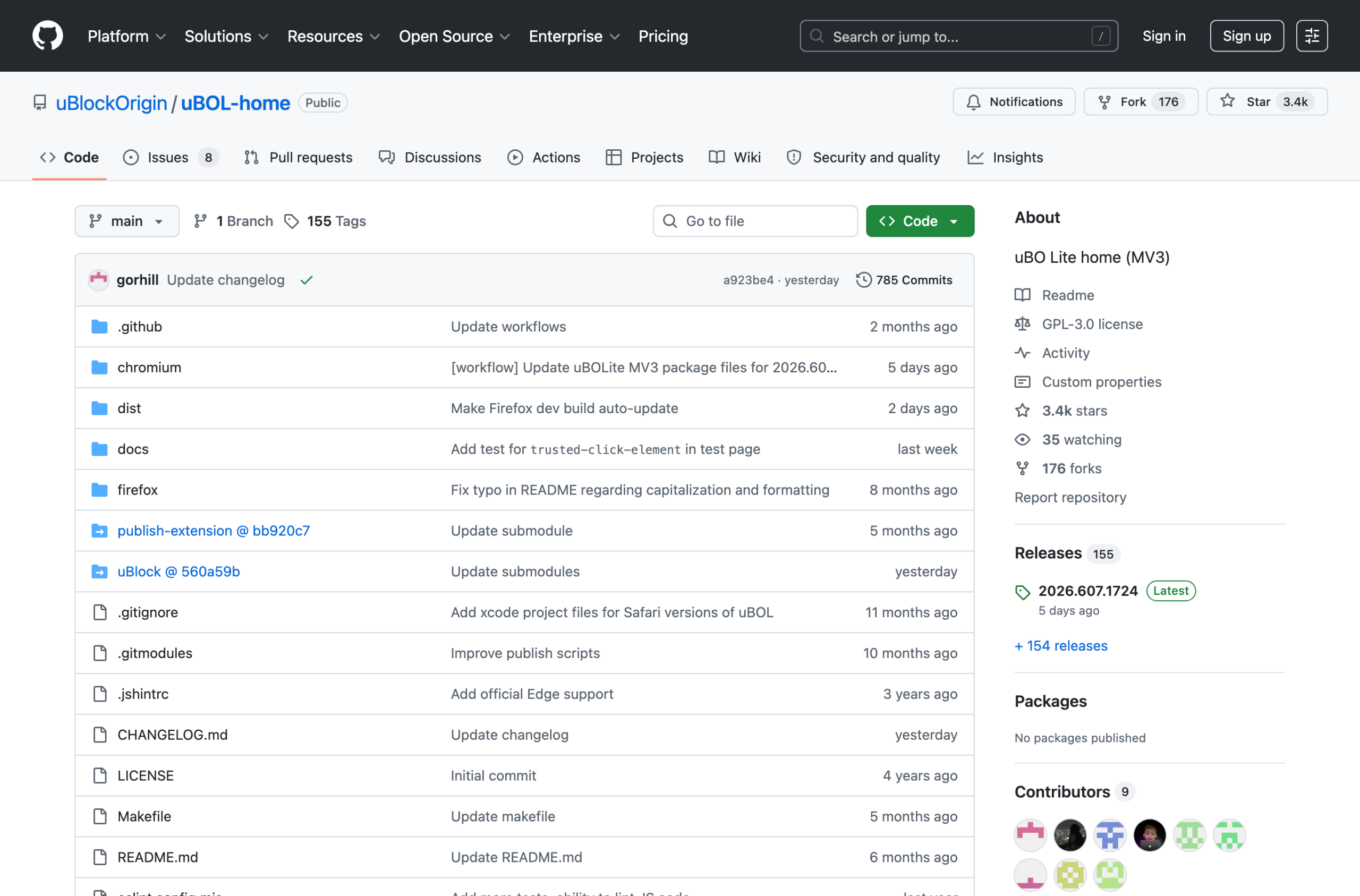
uBlock Origin Lite filtering modes: Basic, Optimal, and Complete
This is the part most people miss, and it makes a huge difference to how well uBlock Origin Lite blocks. uBOL has three permission levels you can set, either globally or per website. The higher the level, the more it can block, in exchange for more access to the page.
- Basic: the safest default. It blocks using network rules only and needs no special permissions. It stops most ads, but it can’t hide leftover blank spaces or fight clever anti-adblock scripts.
- Optimal: the recommended setting for most people. It adds cosmetic filtering (hiding empty ad boxes) and generic rules. This is the closest uBOL gets to feeling like the original on everyday sites.
- Complete: the strongest mode. It gives uBOL full access to a site so it can apply every filter, including site-specific fixes. Use it on sites that still slip ads through, but only turn it on where you need it.
The smart way to run uBOL is to leave it on Optimal globally, then bump a stubborn site up to Complete just for that site. If you leave it on Basic, do not expect it to match the old uBlock Origin.
How to install and set up uBlock Origin Lite on Chrome
- Open the Chrome Web Store and search for uBlock Origin Lite (make sure the developer is Raymond Hill).
- Click Add to Chrome, then confirm.
- Click the uBOL icon in your toolbar and set the default filtering mode to Optimal.
- Open the dashboard and enable the filter lists you want (the defaults are fine for most people).
- On any site that still shows ads, raise that single site to Complete mode and refresh.
That’s it. The whole thing takes about a minute, and the mode setting is the part that actually decides how clean your browsing looks.
Does uBlock Origin Lite work on phones?
On Android, uBlock Origin Lite runs in Chromium-based browsers and in Firefox for Android, though mobile Chrome support for extensions is limited, so most people block ads on Android with a system-level app or DNS instead. On iPhone and iPad, browser extensions work very differently, so a content blocker app or a system-level tool is the better route. If you want one solution that covers phone and computer at once, a system-level app is the simplest answer (more on that next).
If uBlock Origin Lite isn’t enough: the system-level upgrade
uBlock Origin Lite is a solid free blocker, but it is still a Chrome extension, so it lives under the same Manifest V3 limits no matter which mode you pick. If you want the deep, no-compromise blocking the original uBlock Origin gave you, the cleanest fix is to block ads outside the browser.
That’s where the AdGuard desktop app comes in. It isn’t an extension. It filters all of your traffic at the system level, so Chrome’s limits never apply. Unlimited rules, real-time filtering, and ad blocking in every browser and app on your device, YouTube included. In our testing it scored a perfect 100/100, compared with the 96/100 uBlock Origin Lite manages on Chrome.
It’s a paid app, but it’s cheap, and the code CHECKADBLOCK30 takes 30% off. If uBlock Origin Lite leaves ads on the table for you, this is the upgrade that fixes it everywhere at once.
Which one should you pick? A 30-second guide
- You’re on Chrome and want free and simple: uBlock Origin Lite on Optimal mode.
- You want full-strength blocking and don’t mind switching browser: the original uBlock Origin on Firefox or Brave.
- You want the strongest blocking on every browser and app, no switching: the AdGuard desktop app (code CHECKADBLOCK30).
- You want ad blocking plus a VPN: a network-level tool like Surfshark CleanWeb.
Final Verdict
uBlock Origin and uBlock Origin Lite have the same mission: block ads, protect privacy, and be lightweight. But they serve very different users.
uBlock Origin Lite is for you if you want something that installs fast, runs quietly, and requires zero config. It’s for casual users who just want ads gone without touching a single setting. If you’re on Chrome and need a Manifest V3-compliant blocker that works out of the box, it’s a good choice.
uBlock Origin is for advanced users. It’s more powerful, customisable, and effective against tricky ad scripts, trackers, and anti-adblock pop-ups. This is the one to install if you care about total control and deep privacy features.
So, for simplicity and Chrome support, go with uBlock Origin Lite. For everything else, uBlock Origin still wins.
uBlock Origin Lite not blocking ads? Common fixes
If uBlock Origin Lite isn’t catching everything, it’s usually the filtering mode, not a bug. Here are the issues people hit most often and how to fix each one.
- Ads still showing on a site: raise that single site to Optimal or Complete mode, then refresh. Basic mode alone leaves a lot through.
- YouTube ads getting past it: this is a known weak spot for any Chrome extension under Manifest V3. For reliable YouTube blocking, use a system-level app like AdGuard or the full uBlock Origin on Firefox.
- A page looks broken or won’t load right: drop that site back down to Basic, or add it to your trusted list. Complete mode is powerful but occasionally too aggressive on fragile sites.
- The icon shows a count but ads remain: some ads are served from the same domain as the content, which Basic mode can’t separate. Bump the site to Complete.
- It looks switched off: open
chrome://extensions, confirm uBlock Origin Lite is enabled, then check that your filter lists are turned on in its dashboard.
If you’re tired of tweaking modes site by site, that’s the usual sign it’s time to move blocking out of the browser. A system-level tool like the AdGuard desktop app handles all of this automatically, everywhere, with no per-site fiddling (and code CHECKADBLOCK30 gets you 30% off).
Frequently asked questions
Is uBlock Origin Lite as good as uBlock Origin?
Not quite. On Optimal or Complete mode it gets close on everyday sites, but it loses the dynamic filtering and deep customization of the original, so it’s weaker against anti-adblock walls and on tricky sites. For full strength, use the original on Firefox or a system-level app like AdGuard.
Does uBlock Origin Lite block YouTube ads?
Sometimes, but not reliably. YouTube changes its ad delivery often, and uBOL’s Chrome limits make it slower to respond than the original. A system-level tool like AdGuard handles YouTube far more consistently.
Is uBlock Origin Lite safe?
Yes. It’s free, open source, and made by the same trusted developer as the original uBlock Origin. Just make sure you install the real one (developer Raymond Hill) and not a copycat.
What is the best uBlock Origin Lite mode?
Optimal is the best default for most people. Leave it on Optimal globally, then raise individual sites to Complete if they still show ads.
Should I use uBlock Origin Lite or switch browsers?
If you’re happy on Chrome and want something free and easy, uBlock Origin Lite on Optimal is fine. If you want the strongest blocking, either switch to Firefox with the original uBlock Origin, or keep Chrome and add the AdGuard desktop app so blocking happens outside the browser.