
There are too many options, categories, sub-categories to choose from when you get an ad blocker. Check our contenders for the best ad blockers of 2025, and you’ll see. And these ad blockers work at different levels. Some only block ads in your browser, while some are connected to your router via a Raspberry Pi.
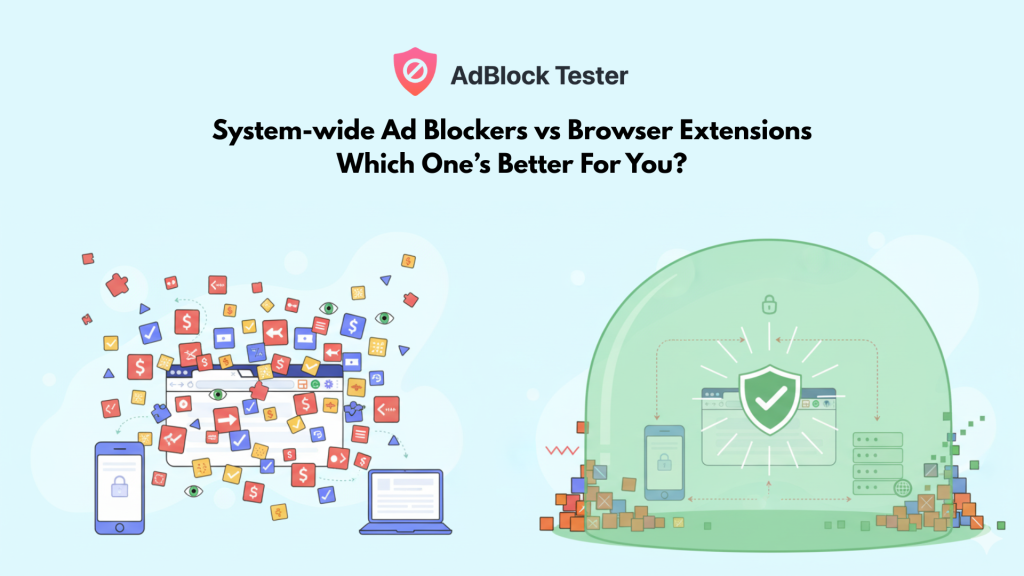
But when you’re looking for an ad blocker, you’re likely to make a decision between system-wide ad blockers or browser-extension based ad blockers. Some ad blockers offer both. For example, we really like Surfshark as it has both. Surfshark CleanWeb is available in the Surfshark app, whereas, CleanWeb 2.0 with more functionalities is available on the browser extension. AdGuard, on the other hand, adds more functionalities, like a built-in Stealth mode, when you use their app, but the browser extension is somewhat limited in that regard.
You may have different requirements that make one more appropriate over the other. We will be discussing all that and more to help you decide which one to go with.
What Exactly is a System-Wide Ad Blocker, and How Does it Work?
A system-wide ad blocker is usually an app that is installed directly on your device. Its job is to filter and block ads, trackers, and malicious sites across all internet traffic on that device, including what happens in apps, games, and every web browser you use. This is a fundamental shift from a simple extension because it doesn’t wait inside a single browser window to filter code.
These ad blockers work by inserting itself directly into your network traffic flow, often functioning as a local VPN or manipulating the Domain Name System (DNS). It checks every incoming and outgoing request from every application on your device before that request even reaches the destination.
This proactive approach is the key to its comprehensive utility. The process looks something like this:
- You load a website or open an app.
- The ad blocker compares the domain request against massive, regularly updated filter lists.
- If a request matches a known ad server or tracker domain, the system blocks the connection right then and there.
- As the ad is stopped, it also injects code into your browser to get rid of the blank ad space, resulting in a clean web experience.
- This happens across everything: your Chrome browser, the YouTube app, a mobile game, and even background trackers used by other installed software.
This is a crucial technical difference that ends in a soft landing for the reader: the ad never gets a chance to consume your bandwidth or battery life. Which, in turn, saves you money and speeding up your entire device. Because of this network-level vantage point, a system-wide app can also provide deep, utility-focused features like filtering out malware-hosting domains and protecting children from inappropriate content across the whole system.
What Are The Limitations of Browser-Based Ad Blockers?
The primary limitation of a browser-based ad blocker is simple: it is restricted to the browser’s designated environment. It can filter and clean up content within Firefox or Edge, but that is where its power ends.
This means the convenience of the browser extension only offers a partial solution for users today. If you are watching videos on an app, playing a mobile game, or using a news aggregator, you are completely unprotected from ads, trackers, and malicious connections. The extension is simply locked outside of that entire system, which is a fundamental boundary set by the operating system itself.
Beyond the app limitations, the power of these extensions is also being actively constrained by browser developers. Google’s shift to Manifest V3 is a clear example of a corporate ecosystem prioritizing control over your utility.
This change moves essential filtering logic out of the extension and into the browser, severely limiting the number and complexity of filter lists that tools like uBlock Origin can use. The consequence is simple: the extension becomes less effective, making it harder for it to catch the complex, constantly changing advertisements designed to bypass simple filters.
Finally, since browser extensions operate inside the tab, they mostly perform what is called “cosmetic filtering,” which hides elements after they have already loaded. They do not have the network visibility of a system-wide tool. This means they cannot proactively block malware or phishing sites at the DNS level, nor can they prevent connections to complex tracking domains that are outside the scope of simple ad scripts. They are only ever dealing with the visible symptoms, never the invisible source.
What are the Hidden Downsides of a System-Wide Ad Blocker?
While a system-wide approach sounds like the best option in overall digital hygiene, it doesn’t come without its own set of trade-offs. Choosing this level of control requires a realistic understanding of its limitations, especially compared to the simplicity of a browser extension.
First, you lose the fine-grained control that a browser extension offers. Because these tools work at the network or DNS level, they either block an entire domain or they let it through. A browser extension can selectively block a single image or an element on a page; a system-wide blocker usually cannot distinguish between a legitimate photo and an ad if both are served from the same main domain.
This leads to a few common friction points:
- First-Party Ads Get Through: Large platforms, particularly social media or video streaming services, are smart. They serve ads directly from their own primary domain. For instance, YouTube serves video ads from youtube.com itself. A DNS blocker cannot block youtube.com without also blocking every legitimate video, which means those integrated ads often bypass the system-wide defense. And it gets even harder to block ads from the official YouTube, Facebook, X apps.
- Website Breakage: Due to the blunt force of network-level blocking, the chances of a website loading incorrectly are higher. If a crucial login script or an essential web resource is hosted on a domain that happens to be on the ad filter list, the site may look broken, and the user experience suffers. Figuring out how to whitelist that single domain is often a more technical hurdle than simply clicking an “allow ads on this site” button in a browser extension.
- Another consideration is that many effective, powerful system-wide ad blockers occupy your device’s single dedicated VPN slot. If the ad blocker is utilizing the local VPN function to inspect traffic, you cannot run a separate, third-party privacy VPN at the same time. This forces you to choose between system-wide ad defense or true network anonymity.
Finally, while many excellent extensions are free and open-source, the most comprehensive, feature-rich system-wide apps typically require a paid subscription for full utility. That cost is the trade-off for cross-device protection and advanced features like malware filtering, but it is an investment you must consider.
How Do You Deal With the Limitations of System-Wide Ad Blockers?
The powerful, comprehensive nature of a system-wide ad blocker means it sometimes oversteps, resulting in broken sites or missed, sneaky ads. However, you can deal with these limitations without having to abandon the utility of system-wide protection. You can start with adopting a two layer protection.
The most straightforward method is to use a high-quality browser extension (like uBlock Origin) to handle the specific problems a DNS or network-level blocker cannot touch. This extension is then used only on the handful of websites where the system-wide tool is known to struggle, such as those that serve ads from their primary domain. To avoid conflicts and unnecessary resource drain, you should whitelist all other websites in that extension, letting your system-wide app handle the bulk of the filtering.
A far better and more elegant solution is to adopt a tool designed for this dual function, such as AdGuard. The full AdGuard app (the system-wide component) also offers a browser companion extension. This combination means the powerful network-level blocking handles all traffic across every app, while the companion extension is specifically reserved for the fine-grained tasks: cosmetic filtering, element blocking, and the trickier task of blocking in-browser YouTube video ads.
However, regarding the tricky issue of ads in dedicated mobile apps, it remains somewhat hit-or-miss, even with the best system-wide solutions. For platform-specific problems like YouTube’s integrated ads, there are dedicated solutions. See our dedicated guide on How to Watch YouTube Without Ads.
Finally, the problem of your VPN slot being occupied is easily solved by combining your internet security and ad-blocking into a single platform. Services that integrate system-wide ad blocking directly into their VPN software are excellent utility-first options. So you don’t have to choose between full-device ad defense and network privacy. Both Surfshark CleanWeb and NordVPN Threat Protection Pro are great choices that offer exactly this kind of seamless, multi-layer defense.
What Are The Best System-Wide Ad Blockers?
There are three system-wide ad blockers worth mentioning. And we have reviewed all three of them. Here’s a summary.
The Best System-Wide Ad Blockers
1. Surfshark CleanWeb
Surfshark’s CleanWeb offers an affordable, system-wide ad blocker built directly into its powerful VPN app. This solution is all about maximum utility and convenience, addressing the VPN slot conflict directly.
AdBlock Tester Score: 98/100
Surfshark’s most unique selling point is it’s wide compatibility. It works everywhere. Windows, macOS, Android, iOS, Apple TV, Google TV, and more. And it doesn’t hog up your VPN slot by running an ad blocker, as it does both.
The primary CleanWeb feature blocks ads and trackers on your device at the DNS level. For more complex in-browser issues, such as in-stream video ads, their dedicated browser extension, CleanWeb 2.0, handles the cosmetic filtering and element hiding.
2. AdGuard
AdGuard is the gold standard for pure, dedicated ad-blocking, built from the ground up to offer robust system-wide protection without needing a separate VPN connection. It is known for its high level of customization and granular control over filtering rules.
AdBlock Tester Score: 100/100
AdGuard provides deep privacy controls, including anti-tracking features and Stealth Mode options that reduce your digital fingerprint. The full app can block pop-ups, banners, and video ads across browsers and applications on nearly every platform.
Because it is a stand-alone solution, AdGuard offers advanced options like parental controls and the ability to customize blocklists, making it the ideal choice for advanced users who want total command over their filtering.
3. NordVPN Threat Protection Pro
NordVPN’s Threat Protection Pro moves beyond simple ad-blocking to provide a comprehensive security package integrated with one of the most reputable VPNs on the market. This solution is focused on security and proactive defense against threats.
AdBlock Tester Score: 91/100
This tool shines in anti-malware and anti-phishing protection, actively scanning files you download and blocking malicious domains to safeguard you from online scams. It is an all-in-one security suite that simply happens to also block ads effectively.
While its raw ad-blocking score is slightly lower than the dedicated services, its core utility is in its layered protection: it works at the DNS level to stop trackers and malicious connections, whether or not the VPN is active (with the Pro version). It is the best choice if you are prioritizing holistic security and are already invested in the Nord ecosystem.
Moreover, We have curated exclusive offers and promotional codes for all these top-tier services to help you secure the best deal.
What Are The Best Browser-Based Ad Blockers?
Here are the top-tier browser extensions, framed by their unique strength:
1. Total Adblock
Total Adblock is positioned as a powerful, user-friendly extension that delivers maximum results with zero effort. It’s the choice for those who want military-grade blocking without digging into filter lists.
AdBlock Tester Score: 100/100
It provides exceptional blocking consistency, earning perfect scores in core ad tests. It is particularly effective at reliably blocking YouTube video ads and social media tracking right out of the box, offering a powerful, set-it-and-forget-it experience.
The full experience requires a premium subscription, but that subscription often bundles the tool with antivirus protection (TotalAV), shifting its value proposition toward a broader, all-in-one security suite.
2. AdGuard
The AdGuard browser extension provides a balance between the simplicity of a plugin and the deep capabilities of a system-wide app. It’s a fantastic extension that is optimized for efficiency.
AdBlock Tester Score: 100/100
The extension boasts features you typically only see in full applications, such as an internal statistics screen and a comprehensive filtering log, which helps you see exactly what the blocker is doing. It is also known for being memory-efficient.
AdGuard’s strength is in its ecosystem. The browser version is a perfect complement to the full system-wide app, allowing for dual-layer protection where the extension tackles cosmetic fixes and in-browser tracking while the app manages the network level.
3. Surfshark CleanWeb 2.0
Surfshark’s browser extension, CleanWeb 2.0, is designed to enhance its primary VPN product.
AdBlock Tester Score: 98/100
Its value is tied entirely to its integration. It ensures a consistent, high-level of ad-blocking performance within the browser, acting as the cosmetic filter for the system-level protection provided by the VPN app.
CleanWeb is best utilized when you already use the Surfshark VPN, as it solves the problem of needing separate tools for network anonymity and ad-free browsing.
4. NordVPN Threat Protection (Lite)
NordVPN’s browser extensions offer a lightweight version of their Threat Protection features.
AdBlock Tester Score: 91/100
This is not a standalone ad blocker, but a security feature focused on preventing malicious connections and known tracker domains. Its core competence is proactive security protection, which coincidentally also blocks many ads.
While good for base-level protection, NordVPN’s main power is in its full, paid system-wide app, which provides robust malware scanning and URL cleaning; the extension is primarily a handy security layer for travelers or existing NordVPN users.
5. uBlock Origin
uBlock Origin is the definitive choice for anyone valuing performance, transparency, and deep customization. It’s free and open-source, which means it’s audited and maintained by the community, aligning perfectly with a value-driven approach to privacy.
AdBlock Tester Score: 100/100
It is the undisputed king of customization. It gives you the full command to create custom rules, block specific page elements with a “point-and-click” interface, and leverage an extensive library of filter lists.
While it offers near-perfect blocking, it is better suited for a user who enjoys technical control; a beginner might find the sheer number of settings overwhelming. Be aware that due to browser policy changes (Manifest V3), the original version may no longer be available or fully supported on Google Chrome.
The Verdict – Which One Should You Use?
So you know whether you need a holistic solution or something that’s more precise and targeted. Both system-wide ad blockers and browser-based ones have their strengths and weaknesses.
A browser extension is the non-negotiable default. Tools like uBlock Origin are essential, open-source first lines of defense that deliver near-perfect cosmetic filtering, speed, and privacy within the context of your browsing tabs. They are a lightweight, powerful solution for the casual user, especially if you only spend time on desktop websites.
However, the browser extension is inherently limited, operating only in a silo. It is powerless against native ads in mobile apps, games, or the increasing amount of traffic that bypasses the browser entirely.
This is where the system-wide application becomes the necessary upgrade. By working at the DNS or network level, services like AdGuard or Surfshark CleanWeb protect your entire device, including the traffic you never see. The best long-term strategy, however, is not to choose one over the other, but to combine them.
Our favorite pick is Surfshark CleanWeb as it offers both browser based solutions and an app. You can pick and choose. AdGuard with its app and browser companion is a close second.