
AdBlock and uBlock Origin are two of the most well-known ad blockers. While they share many blocklists and some customizability features, the similarities end very early. Both of the ad blockers are for two very different types of people.
AdBlock is the one most people get because of its name. If someone tells you to install an ad blocker and you don’t know much about it, AdBlock is probably the first one you’ll find. That doesn’t mean it’s bad or anything. It definitely has its features and uniqueness.
But uBlock Origin is the final boss. It’s the one you get because you’ve gone through many ad blockers for and you crave something that most of them can’t quite give you – control. And that is what you get with uBlock Origin.
Both ad blockers have their pros and cons, and they’re both quite different. We’re here to find out how much.
Quick Comparison Between uBlock Origin and AdBlock
| uBlock Origin | AdBlock | |
| Price | Free | $4/month or $40/year |
| Free version | Yes | Yes |
| Blocks YouTube Ads? | Yes | Yes |
| Blocks Trackers? | Yes | Yes |
| Compatibility | Chrome, Safari, Firefox, and Edge | Chrome, Safari, Firefox, Edge, and iOS |
Pros and Cons
Pros and Cons of AdBlock
Pros
- Easy to install and beginner-friendly
- Blocks most types of ads, including YouTube pre-rolls and pop-ups
- Offers manual element blocking and custom filter support
- Includes cryptomining and malware protection filters
- Affordable Premium plan with optional perks
Cons
- “Acceptable Ads” is enabled by default
- Tracker blocking is weaker compared to uBlock Origin
- Settings UI can feel cluttered and repetitive
- Premium features are often free in other blockers
Pros and Cons of uBlock Origin
Pros
- Completely free and open-source
- Extremely lightweight and efficient
- Supports dynamic filtering and custom scripts
- Bypasses soft paywalls and anti-adblock detection
- No telemetry, no data collection, no accounts
Cons
- The interface can be overwhelming for beginners
- No official support or live help
- No mobile app or system-wide protection
- Not compatible with Safari or Chrome
Key Differences at a Glance (TL;DR)
- AdBlock is beginner-friendly, with a simple interface and quick setup.
- uBlock Origin is built for power users who want dynamic filtering, custom scripts, and deep control.
- AdBlock enables “Acceptable Ads” by default, so some ads are allowed through unless you turn it off.
- uBlock Origin is more privacy-focused, with no acceptable ads program and stronger tracker protection.
- Both block YouTube ads, but uBlock Origin is more consistent and flexible across different sites.
- AdBlock has optional paid features. uBlock Origin is free with everything included.
Real-World Ad Blocking
To see how uBlock Origin and AdBlock actually behave in the wild, you have to look at messy, ad-heavy sites instead of just synthetic tests. Both were tested on YouTube, big news sites, social platforms, and a retail site.
YouTube
uBlock Origin
On YouTube, uBlock Origin blocked all ads in testing. Homepage banners, in-feed video ads, pre-rolls, mid-rolls, masthead units, and Shorts ads were all removed. Videos played smoothly, and scrolling through Shorts felt like using YouTube Premium without paying for it.
AdBlock
AdBlock also did great here. It blocked skippable and non-skippable ads, in-feed video ads, bumper ads, masthead ads, and YouTube Shorts ads. The homepage and watch pages were clean, and Shorts played without interruptions. On pure YouTube ad blocking, both extensions scored 10/10.
Forbes
uBlock Origin
On Forbes, uBO blocked homepage banners, mid-article ads, floating video players, newsletter pop-ups, and notification prompts. It also bypassed the soft paywall that appears after a few articles, so you could keep reading without getting locked out.
AdBlock
AdBlock removed banners, side ads, floating videos, newsletter prompts, and notification requests. The only thing it could not handle was the paywall. After the free article limit, the paywall still kicked in and restricted access.
The New York Times
uBlock Origin
uBO blocked large banners, embedded ads, and animated ad units. It also bypassed the NYT soft paywall, so you could continue reading past the usual limit.
AdBlock
AdBlock removed the banners and embedded ads here as well, and cleaned up cookie prompts and newsletter pop-ups. Like Forbes, the paywall still appeared after a few articles.
uBlock Origin
On Reddit, uBlock Origin removed all “Promoted” posts from the feed. The homepage showed only organic content, and tracking requests were cut down in the background.
AdBlock
AdBlock also blocked all promoted posts on Reddit during testing. The homepage felt natural again, with ads stripped out of the feed.
Twitch
uBlock Origin
On Twitch, uBO blocked the usual homepage banners and self-promotion blocks. Creator-embedded sponsor panels stayed visible, since those are part of the channel content.
AdBlock
AdBlock behaved similarly. It removed Twitch’s self-promotion banners and standard ad placements on the homepage. Sponsored content added by the streamer remained, which is expected.
Neither extension can fully control everything inside the video player itself in all cases, but both clean up the surrounding clutter.
X (formerly Twitter)
uBlock Origin
With uBlock Origin enabled, sponsored tweets and in-feed ad units disappeared from the timeline. The feed felt more like an actual social stream, without injected promo content.
AdBlock
AdBlock also did well on X, removing promoted posts and sponsored placements from the feed in testing.
Crocs (E-commerce)
uBlock Origin
On Crocs, uBO blocked pop-ups and cookie prompts, while leaving built-in discount banners and native store messaging alone. The result was a site that still worked normally but felt less aggressive.
AdBlock
AdBlock blocked the pop-up that appears after a few seconds and cut a large number of ad and tracking requests on the homepage. The shopping experience stayed intact, just less noisy.
Key Features
Ad Blocking Capabilities
Both uBlock Origin and AdBlock promise cleaner pages, fewer distractions, and a better browsing experience. And to be fair, they both deliver.
AdBlock
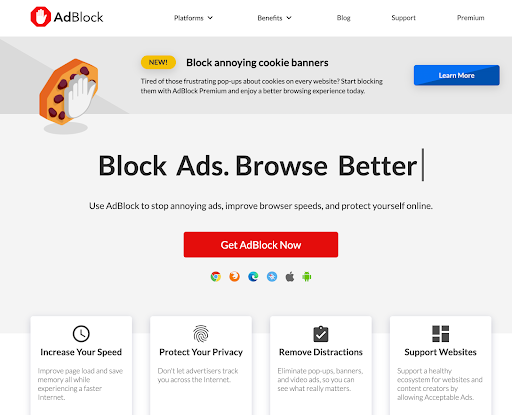
AdBlock does the basics well. It blocks pop-ups, banners, auto-playing videos, and even YouTube ads, most of the time. It uses EasyList and a few other common blocklists, and you can add EasyPrivacy or Fanboy’s Annoyances. It also blocks crypto mining scripts and some malware domains. But by default, “Acceptable Ads” is enabled, which means some ads are allowed through unless you go in and switch it off manually. That alone means AdBlock’s default setup isn’t really blocking everything.
uBlock Origin
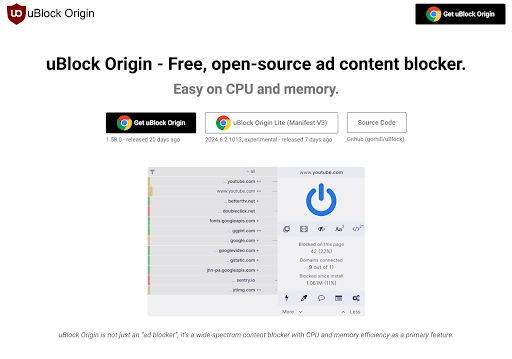
uBlock Origin goes full tilt from the start. It blocks all ads such as YouTube prerolls, sidebar ads, cookie prompts, overlays, floating banners, and everything else. It comes with multiple blocklists enabled, and you can add more or even write your own. It also has advanced features like cosmetic filtering, script blocking, and dynamic filtering, which let you fine-tune what gets blocked and how.
Privacy and Security
If you’re using an ad blocker for more than just skipping ads, because you actually care about your data, stopping trackers, and staying under the radar online, that’s where this section really matters.
AdBlock
AdBlock offers some basic privacy features, but it doesn’t go much further. You can use lists like EasyPrivacy to block standard tracking scripts and analytics. There are also extra filter lists you can add manually, and a toggle to block those malware and cryptomining ads. But beyond that, there’s not much going on. No fingerprinting protection. No stealth mode. No built-in way to strip out tracking parameters from URLs. And, with its parent company, eyeo GmbH, behind the Acceptable Ads program, some users have questioned how much AdBlock prioritizes privacy over revenue.
uBlock Origin
uBlock Origin takes privacy seriously. Really seriously. It doesn’t collect any user data. It blocks known trackers by default. You can enable filter lists targeting social media beacons, CNAME cloaked trackers, and even surveillance domains. Advanced features like dynamic filtering and network request blocking let you cut off third-party scripts that many trackers rely on. You can strip tracking query strings from URLs as well. And it all happens locally, so you don’t need an account, there’s no logging, and no hidden catch.
Performance and Resource Usage
When it comes to performance, both uBlock Origin and AdBlock are pretty lightweight, but one of them was specifically built with performance in mind.
AdBlock
AdBlock works for most people. It blocks ads without slowing things down and doesn’t use too much memory. It does its job but isn’t exactly optimized under the hood. It’s good enough, but not built for speed.
uBlock Origin
uBlock Origin is built for performance. It’s extremely lightweight. Goes easy on both CPU and memory, even with multiple advanced filters enabled. It processes requests faster, handles larger filter lists better, and doesn’t slow down your browser on busy pages. The dev behind uBlock Origin has been vocal about bloat, and it shows in how smooth the extension runs even on low-spec machines.
Anti-Adblocking & Detection Bypass
Ad blockers aren’t just judged by what they block. They must also stay hidden from any ad-block detection measures. Now, some of the best ad blockers of 2025 often fail to avoid this detection. And there are plenty of websites that fight back and restrict content while asking you to “please disable your ad blocker”.
AdBlock
AdBlock doesn’t do much here. If a site detects it, there’s not a lot you can do beyond disabling the extension or whitelisting the site. It doesn’t come with any built-in anti-adblock circumvention tools, and while you can add community filter lists like Anti-Adblock Killer, that’s a manual process, and it often doesn’t work. In most cases, AdBlock just gets caught.
uBlock Origin
uBlock Origin, however, has real teeth. It doesn’t just block ads; it actively helps bypass soft paywalls, overlay blockers, and anti-adblock scripts. With the right filters and advanced mode enabled, it can block the scripts that detect ad blockers in the first place. You can go even further with custom rules or use community-maintained lists that update frequently to dodge new detection methods.
Usability and Customisation
Installation and Setup
Both uBlock Origin and AdBlock are browser extensions, so getting started is easy. But sometimes there are extra steps that many users might appreciate, while others might find an annoyance.
AdBlock
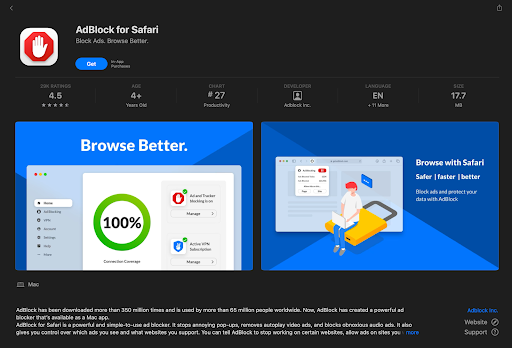
AdBlock is for beginners. Go to the extension store, click “Add to Chrome” (or Firefox, Edge, etc.), and it’s done. No account needed, no tutorial, no upsell. Just a welcome page and a working ad blocker. However, you may want to disable “accetable ads” if you don’t want to see the occasional banner ads every now and then. Otherwise, you can start browsing right away and most users won’t need to touch the settings at all. It’s the kind of install that’s over before you’ve thought about it.
uBlock Origin
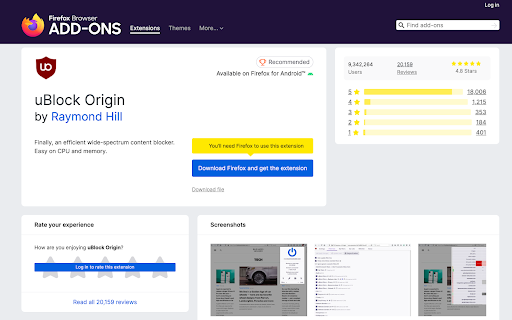
uBlock Origin is just as quick to install but feels more neutral. It doesn’t walk you through anything and doesn’t hold your hand. Install it and it starts working. If you want to leave the default filters on you’re done in two clicks. And that should be enough for most users. However, if you’re curious or want to dive deeper you’ll find a full dashboard with advanced options, logger tools and dozens of filter list toggles – all there if you want them but never in your face.
Ease of Use
This one comes down to what kind of user you are and how much you like to play with user settings.
AdBlock
AdBlock is as easy as it gets. Once installed, it’s ready to go. The interface is simple: click the toolbar icon, and you’ll see how many ads were blocked, get a toggle to pause or disable it on a site, and links to the settings dashboard. Everything is labeled clearly, and you don’t need to touch a thing unless you want to. It’s for people who just want to block ads and move on with their lives.
uBlock Origin
uBlock Origin is also functional right out of the box, but it feels more complex. Because it is. The default view is clean enough, but once you start clicking into the dashboard or (especially) turning on advanced mode, you’ll unlock layers of control most ad blockers don’t even attempt. With dynamic filtering, logger tools, and third-party script control, it’s powerful, but not exactly beginner territory. If you’re willing to learn, it’s incredibly rewarding. But if you just want to block ads with minimal thought, it might feel a little overwhelming.
Customisation
Customisation is uBlock Origin’s territory.
AdBlock
AdBlock has some control for casual users. You can toggle filter lists, manually whitelist sites, and even block specific elements on a page using its visual picker. It also supports custom filter rules and lets you import additional lists like EasyPrivacy or Fanboy’s Annoyances. Not bad if you just want to fine-tune a few things here and there.
uBlock Origin
But uBlock Origin? It’s in a different league.
You can:
- Load dozens of filter lists (and even host your own)
- Create custom cosmetic rules
- Use dynamic filtering to control scripts and third-party requests on a per-site basis
- Use the logger to inspect every connection and build precision rules
- Block or rewrite network requests with scriptlet injections
- Tweak per-domain settings and save persistent rules across sessions
uBlock Origin is a lot more than just an ad blocker. It is a content blocker, a firewall for your browser.
Pricing and Plans
This one’s easy. uBlock Origin doesn’t cost a thing, and AdBlock technically doesn’t either, but they handle monetisation very differently.
uBlock Origin
uBlock Origin is free. No subscriptions, no donation pop-ups, no “pro” features behind a paywall. It’s open-source, one developer, and designed to do one thing well. Block everything without ever asking for a cent. No account, no tracking, no upsells. You install it and get the full experience, always. And even the developers do not want donations. Instead, they recommend that you donate to the blocklists instead.
AdBlock
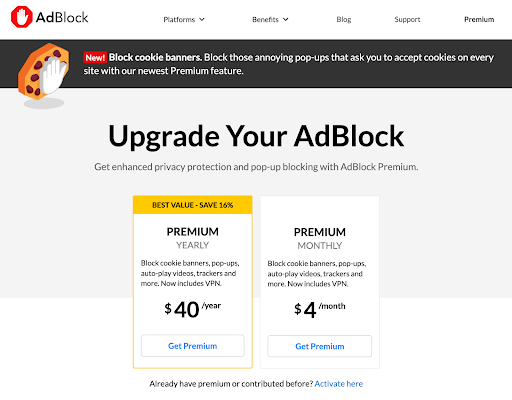
AdBlock is also free. By default, AdBlock allows some non-intrusive ads through, which advertisers pay to be whitelisted. You can disable this, but many users don’t even realise it’s on. There’s also AdBlock Premium, which costs around $40/year, but most of what it adds (themes, settings sync, cat images instead of ads) isn’t essential.
Customer Support
Neither of these ad blockers has white-glove support. But at least one has a dedicated help desk, and the other doesn’t.
AdBlock
AdBlock has basic customer support. You’ll find a help centre with setup guides, FAQs, and troubleshooting articles. If you get stuck, there’s a contact form, and Premium users get slightly faster responses and priority support. It’s not lightning fast, but it exists. For a free product with optional upgrades, the support experience is pretty good.
uBlock Origin
uBlock Origin is a different story. It’s open-source and community-driven. There’s no official support team, no help desk, and no live chat. If something breaks or you have a question, your options are GitHub issues, Reddit threads, or existing community guides. That’s the philosophy: it gives you power, not hand-holding.
Final Verdict
AdBlock and uBlock Origin both block ads. But that’s about where the similarities end.
AdBlock is easy to install, beginner-friendly, and does the job out of the box. It’s the kind of tool you recommend to someone who just wants fewer pop-ups and YouTube interruptions without thinking too much about settings. It works, and for many users, that’s enough.
But uBlock Origin is on another level. It’s faster, more efficient, and way more powerful. It blocks more, gives you total control, and lets no request through unless you allow it. No upsells, no background deals with advertisers, no tracking, just clean open source functionality.
If you want simplicity and don’t mind a few limitations, AdBlock is fine.
But if you want the best ad blocker, uBlock Origin is the clear winner. Its performance is still unmatched, and many others are trying to catch up.