
uBlock Origin and Ghostery are two of the best free ad blockers available, and both are fully open-source and community-driven. No hidden business models, no sneaky upsells, and no corporate “acceptable ads” loopholes. Just clean, honest tools for people who care about privacy and performance.
Ghostery has been around a bit longer, and it is very visible. It’s sleek, polished, and focused on privacy. It blocks ads, sure, but it also targets trackers and analytics scripts that follow you around the web. uBlock Origin is a powerful tool. It’s more customizable, more flexible, and built for users who want fine-grained control over what gets through and what doesn’t.
The differences are easy to see. Ghostery feels friendly and privacy-focused, while uBlock Origin feels deep and customizable. However, when it comes to effectiveness, speed, and trust, both get the job done.
Quick Comparison Between uBlock Origin and Ghostery
| uBlock Origin | Ghostery | |
| Price | Free | Free |
| Free version | Yes | Yes |
| Blocks YouTube Ads? | Yes | Yes |
| Blocks Trackers? | Yes | Yes |
| Compatibility | Chrome, Safari, Firefox, and Edge | Chrome, Safari, Firefox, Opera, and Edge |
Key Differences at a Glance (TL;DR)
- uBlock Origin gives far deeper control with dynamic filtering, custom rules, and cosmetic filtering.
- Ghostery focuses on privacy and simplicity with a clean interface and real-time tracker analytics.
- uBO bypasses anti-adblock systems and soft paywalls more reliably.
- Ghostery includes Never-Consent, which auto-rejects cookie pop-up banners.
- Both are free and open source, but uBlock Origin is more powerful overall.
- Ghostery is better for beginners; uBO is better for advanced users.
Pros and Cons
Pros and Cons of uBlock Origin
Pros
- Completely free and open-source
- Extremely lightweight and resource-efficient
- Highly customisable: supports dynamic filtering, custom filters, and script control
- No telemetry, tracking, or Acceptable Ads programme
- Bypasses soft paywalls and anti-adblock pop-ups on many sites
Cons
- The interface can feel overwhelming for non-technical users
- No system-wide protection or mobile apps
- No official customer support
- May lose full functionality on Chrome due to Manifest V3
Pros and Cons of Ghostery
Pros
- Fully open-source with a strong privacy-first reputation.
- Extremely user-friendly interface, ideal for beginners
- Block trackers with a community-maintained database
- Includes “Never-Consent” for auto-rejecting cookie banners
- Real-time tracker analytics and visual reporting
Cons
- No system-wide ad blocking or native mobile app
- Fails advanced privacy tests like Cover Your Tracks
- Limited custom filter support compared to uBlock Origin
- Only email support, no live chat or knowledge base
Real-World Ad Blocking
YouTube
uBlock Origin
Extremely strong. Blocks banner ads, pop-ups, autoplay videos, sponsored content, and all formats of YouTube ads including Shorts, pre-rolls, and mid-rolls. Cosmetic filtering and scriptlet injection ensure ads are removed before they even render.
Ghostery
Blocks YouTube ads, including video ads and sponsored search results. Effective for most users, but lacks the fine-grained precision that uBO’s advanced filtering enables.
News Sites (Forbes, NYT, etc.)
uBlock Origin
Removes banner ads, mid-article ads, floating video players, newsletter modals, cookie prompts, and often bypasses soft paywalls.
Ghostery
Blocks banner ads, pop-ups, and trackers reliably. Doesn’t bypass paywalls as effectively and lacks the manual tools needed for site-specific fixes.
Reddit, X, and Other Social Feeds
uBlock Origin
Blocks sponsored posts, promoted tweets, embedded ad units, and tracker-heavy social widgets. Full control allows users to adjust filtering per site.
Ghostery
Removes most trackers and many sponsored elements. Good at cleaning up social feeds but limited when sites use unique or emerging ad placements.
Shopping Sites
uBlock Origin
Blocks pop-ups, cookie banners, trackers, and most ad units. Cosmetic controls help hide additional annoyances.
Ghostery
Blocks trackers, pop-ups, and many banners, but native store banners and embedded promotions often remain.
Key Features
Ad Blocking Capabilities
Both uBlock Origin and Ghostery are great at removing ads, but the difference shows in how they do it, how far they go, and how much you can control along the way.
uBlock Origin
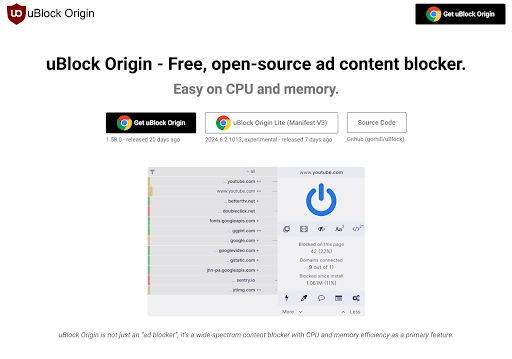
uBlock Origin is as aggressive as it gets. It blocks banner ads, pop-ups, auto-playing videos, cookie banners, sponsored content, and all kinds of embedded ad formats. It’s especially strong on YouTube, where it handles pre-rolls, mid-rolls, and even Shorts ads (which many ad blockers struggle with) without breaking playback. Its power comes from its huge filter list support and features like cosmetic filtering, dynamic filtering, and scriptlet injection, which let it kill ad elements before they even render. You can fine-tune rules for specific websites, adjust filter sets manually, or build your own. It’s built for precision.
Ghostery
Ghostery takes a privacy-first approach, but it still blocks a lot of ads. It uses community-maintained blocklists and real-time data to block most banner ads, pop-ups, and trackers. It also blocks video ads on YouTube and sponsored search results. It works most of the time, but lacks the granular control uBlock has. If something slips through, you can’t manually filter it out. There’s no element picker or deep filter management; it’s made to be automatic and hands-off.
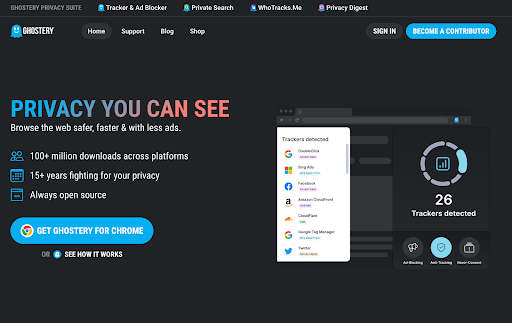
All in all, Ghostery is great for users who want ad blocking that just works, with a clean and friendly interface. But uBlock Origin is in a league of its own for power users who want the most comprehensive and customisable ad-blocking experience.
Privacy and Security
Both uBlock Origin and Ghostery prioritize privacy, but they do so in very different ways.
uBlock Origin
uBlock Origin is local. It doesn’t collect user data, doesn’t phone home, and doesn’t log anything. All filtering happens in your browser, and you don’t need an account or give up any personal info to use it. It supports advanced privacy filter lists, strips tracking parameters from URLs, blocks fingerprinting scripts, and gives you control over third-party domains and scripts via dynamic filtering. It even handles CNAME-based trackers in Firefox, something most blockers can’t touch. In short, it gives you privacy without asking you to trust it.
Ghostery
Ghostery is also open-source and transparent. It blocks trackers with its own community-maintained database, shows you what’s being blocked, and doesn’t collect personal data. It also has a cool feature: Never-Consent, which automatically rejects cookie pop-ups and disables consent banners on supported sites. That’s a real win. However, in privacy benchmark tests (like Cover Your Tracks), Ghostery still lets some trackers and fingerprinting techniques through, likely because it prioritises usability and site functionality over full blocking.
Ghostery is a good privacy tool for the average user. More specifically, Never-Consent is a nice bonus. But for more protection, uBlock Origin goes deeper, blocks more, and gives you more control with no trade-offs.
Performance and Resource Usage
No one wants their ad blocker to slow down their browser, and luckily, both uBlock Origin and Ghostery are efficient. But one of them is built to be fast, no matter what you throw at it.
uBlock Origin
uBlock Origin is one of the lightest ad blockers out there. It handles massive filter lists without breaking a sweat, runs smoothly with dozens of tabs open, and uses very little memory or CPU. Even when you add custom filters and dynamic rules, performance barely dips. This is by design, its core goal is speed and efficiency, and it shows on old machines to high-end setups. However, if you want it to be even lighter, you can take a look at uBlock Origin Lite.
Ghostery
Ghostery is also lightweight and performs well for most users. It’s optimized for casual browsing, and the visual interface doesn’t add any noticeable overhead. But it’s not built to scale the same way uBlock Origin is. Suppose you’re running heavy filter sets or a lot of browser tabs. In that case, Ghostery can feel slightly slower compared to uBlock Origin, especially when it’s scanning trackers and rendering its dashboard stats in real time.
Verdict:
Ghostery is fast enough for everyday use, especially for users who just want things to work.
uBlock Origin stays fast under pressure, making it the better choice for power users or anyone who cares about lean, high-performance browsing.
Anti-Adblock Handling & Bypass
It’s one thing to block ads, but another to avoid getting caught doing it. Many sites now detect ad blockers and throw up pop-ups or block access altogether. How your blocker handles that matters.
uBlock Origin
uBlock Origin is quiet on this front. It doesn’t advertise anti-adblock bypass features, but it often avoids detection just because of how cleanly it blocks scripts and trackers. You can also enable anti-adblock filter lists, use dynamic filtering, or create site-specific rules to remove overlays and warning modals. And if you want full control, the logger and element picker give you the tools to build custom workarounds. It takes some effort, but it works, and it works well.
Ghostery
Ghostery, on the other hand, doesn’t do much to fight back. It blocks ads and trackers, but it’s more likely to get flagged by sites that run anti-adblock scripts. There’s no dynamic filtering, no script control, and no way to patch around a site that locks you out unless the default filters already cover it. For most users, that means you’re stuck either disabling the extension or switching tools.
Ghostery is good at avoiding trackers, but bad at anti-adblock detection. uBlock Origin helps you stay stealthy, even when sites try to push back.
Usability & Customizability
Installation and Setup
Both uBlock Origin and Ghostery are browser extensions, so setup is quick and easy, but the experience after installation tells you a lot about who they’re for.
uBlock Origin
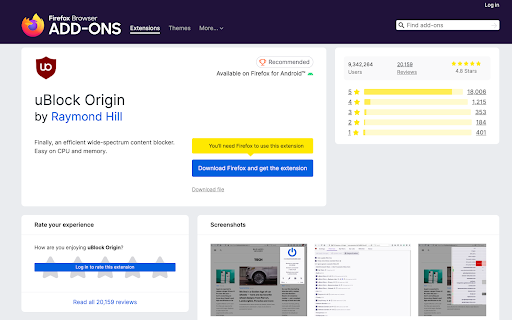
uBlock Origin is all about speed. Go to the extension store, click “Add to browser” and it’s on. No accounts, no pop-ups, no onboarding wizard. It runs with the default filter lists right away. If you want to tweak things later, like enable advanced mode, add filter lists, or create custom rules, it’s all there in the dashboard. But it doesn’t push any of that in your face. Great if you want power, not hand-holding.
Ghostery
Ghostery is equally fast to install but a bit more polished out of the box. Once added, it walks you through a clean, beginner-friendly setup flow. You choose what kind of trackers to block, enable Never-Consent, and get a quick tour of the interface. It’s friendly, visual, and made for users who want everything ready without ever touching settings again.
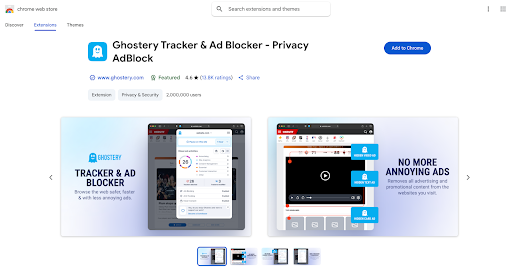
So, Ghostery is smoother for first-time users and makes setup feel like part of a privacy suite. uBlock Origin skips the fluff and gets straight to work, which gives advanced users the freedom to customise later.
Ease of Use
Both Ghostery and uBlock Origin are easy to start using, but how they feel once you’re actually using them day to day depends a lot on your personality.
Ghostery
Ghostery is for simplicity. Everything about it, from the interface to the tracker reports, is visual, clear, and beginner-friendly. You get clean toggle switches, real-time tracking stats, and optional features like Never-Consent that work silently in the background. You don’t need to touch settings unless you want to. For people who just want something that blocks ads and protects their privacy without any fuss, it’s one of the easiest tools out there.
uBlock Origin
uBlock Origin is functional. It works great right out of the box, but it doesn’t hold your hand. The interface is minimal and more technical: blocked requests, toggles for dynamic filtering, and access to advanced settings. If you just want to use the default filters, it’s easy. But if you click around, things can get complex fast. It’s for people who wish to have more control and who are okay with a learning curve.
Ghostery is for beginners and anyone who wants a clean, effortless experience. uBlock Origin is for users who want control and are willing to explore a bit to unlock its full potential.
Customization
Customization is the most significant difference between Ghostery and uBlock Origin. One is simple, while the other gives you the keys.
Ghostery
Ghostery is designed for ease, not depth. You can choose what types of trackers to block (ads, analytics, social media, etc.), enable or disable cookie banner handling, and whitelist specific sites. That’s it. No custom filter lists, no element picker, no advanced rule creation. It’s clean and straightforward, but limited.
uBlock Origin
uBlock Origin, on the other hand, is a customization beast. You can:
- Add and manage dozens of filter lists (privacy, malware, annoyance lists)
- Write your own custom rules (cosmetic and network)
- Use the element picker to zap any part of a webpage
- Enable dynamic filtering to control scripts, iframes, and domains on a per-site basis
- Tweak per-domain permissions and have them persist across sessions
It’s built for people who want to control their experience to the fullest.
To sum up, Ghostery is for users who never want to touch a setting again, while uBlock Origin is for users who want to tweak everything. If high customizability is important to you, it’s not even a contest.
Pricing and Plans
uBlock Origin
uBlock Origin is 100% free and open-source. No premium features, no upgrade nags, and no donation pop-ups. You install it, and you get everything, from dynamic filtering to advanced rule management, with zero restrictions. It’s maintained by volunteers and supported by the open-source community. You don’t pay with money, and you don’t pay with data.
Ghostery
Ghostery is also free to use as a browser extension, and it doesn’t lock core features behind a paywall. Ghostery’s monthly donations start from as low as $1.99, but it doesn’t add much in terms of value. So, you’re never required to upgrade, and the free version works well, but the option’s there if you want the full suite.
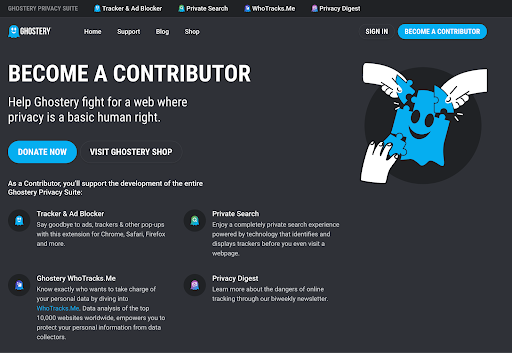
If you want everything for free and nothing locked behind a subscription, uBlock Origin is the clear winner. If you don’t mind supporting development and like the idea of an all-in-one privacy suite, Ghostery’s paid plan isn’t a bad deal, but it’s completely optional.
Customer Support
Support isn’t the first thing that comes to mind when choosing an ad blocker, but if something breaks or you have questions, it’s good to know what kind of help is (or isn’t) available.
uBlock Origin
uBlock Origin doesn’t have support, and that’s by design. It’s an open-source project maintained by volunteers. No help desk, no email, no chat. But it does have a community. If you run into a problem, your best bet is to check GitHub, Reddit, or browser forums where other users and contributors help out. It’s not hand-holding, but the answers are usually there, if you’re a bit tech-savvy and open to looking things up and troubleshooting.
Ghostery
Ghostery has basic support. Free users can email questions, and Premium users get priority responses. There’s also a lightweight help section with FAQs and setup guides. There is no enterprise-level support or live chat, but for a privacy tool, it’s not bad, especially compared to other free blockers.
Ghostery offers more traditional support if you pay. Otherwise, the payment is more of a donation to support development. uBlock Origin relies on its community, which works well if you know where to look. But it’s not for everyone. If you want a direct support channel, Ghostery has the edge.
Final Verdict
uBlock Origin and Ghostery are two of the best free ad blockers out there. Both are open-source, community-driven, and refreshingly still committed to prioritizing your privacy in a world where freemium models and shady partnerships drive many tools.
Ghostery is the better choice for users who want something polished, automatic, and easy to live with. It’s beginner-friendly, looks great, and quietly blocks trackers and ads without asking for much attention. The Never-Consent feature is genuinely useful, and if you want a bit more, Ghostery Plus adds value without being pushy.
But if you want control, efficiency, and power, uBlock Origin is still the one to beat. It’s more customizable, blocks more deeply, and gives you the tools to shape your browsing experience exactly as you want it, and you don’t have to pay a penny for that.
If you want clean, visual privacy with no learning curve, Ghostery is a solid choice. If you want the strongest, leanest, and most configurable ad blocker out there, uBlock Origin is still the one to beat. That means you get to choose what matters most to you.